Interactive brain breaks for the classroom
Put a game on the board. Kids move. The webcam follows.
▶ Start a brain breakZazti is a website full of free movement games that see your students move: they flap to fly, run on the spot, freeze on red and catch math answers. No accounts and no student data.
How to run a brain break
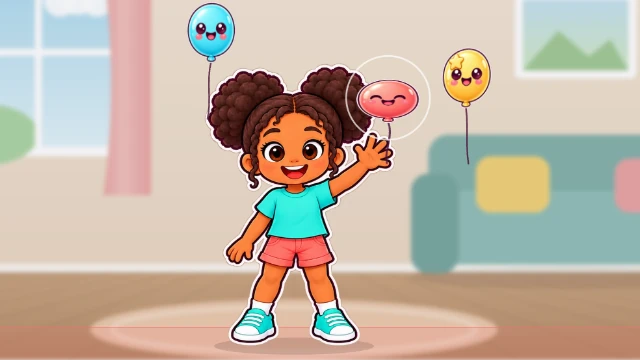





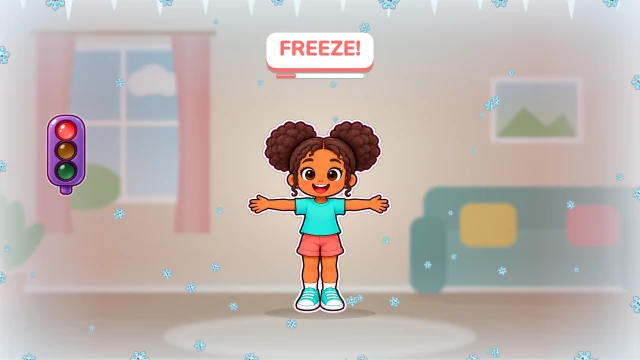

- Open zazti.com on the computer that feeds the projector or smartboard, and turn the sound up.
- Tap Play Duo. If it asks for a level, Easy suits the youngest.
- Tap the Endless Games card, the one with the party popper, and allow the camera when the browser asks. If your school manages its computers, IT may need to allow camera access for zazti.com.
- Two kids stand about a meter from the camera, in a bright room. The games deal themselves, about a minute each. Between games a piñata comes down with the next game inside: that is when the next two step up and break it open.
- Done? Tap Exit at the top of the screen.
Want one game in particular? Tap Play Duo, then that game's card. When “Pick your player” pops up after the round, tap a ready-made player or the X, so no student names go in.
A game for every moment
| Too much energy | Pillow Fight, Forest Run, Flap-Flap Race |
| Time to settle | Bubble Splash, Freeze |
| Math time | Math Catch: addition, subtraction, multiplication |
| Pre-K and kindergarten | Balloon Keep, Sufgi Catch, Bubble Splash |
| Indoor recess and PE | Soccer Kick, Shape Wall, Slalom Ski |
Privacy, the short version
- No accounts, no emails, no student names.
- The camera image is read on the computer and thrown away. Nothing is uploaded, and the short highlight clip is deleted when the next round starts unless a grown-up shares it.
- No ads and no third-party analytics. Scores are saved under a random code on the computer, not under a name.
The full privacy policy is in plain English.
Questions
Do students need accounts?
No. Nobody signs up, and Endless Games never asks for a name. After a single game, tap a ready-made player or the X, so nobody types one.
Is the camera recording?
Endless Games records nothing. A single game keeps a few seconds of its round, so a teacher can share a highlight if they choose. The clip stays on the computer, is never uploaded, and is deleted when the next round starts.
How many students can play at once?
Two at a time. The rest of the class copies the moves and swaps in.
How long is a brain break?
One game lasts 40 to 60 seconds. Endless Games keeps them coming for as long as you want.
What do we need?
A computer with a webcam and a browser. A projector or smartboard helps the whole class see. It all runs in the browser.
Which ages does it work for?
All of them. Pre-K and kindergarten do well with Balloon Keep and Sufgi Catch. Older classes can take on Shape Wall and Math Catch.
Is it free for schools?
Yes. Free, no ads.
Picking a game? Here is what each one is good for.
▶ Start a brain breakMore from Zazti
- What is Zazti?
- All the games
- The best motion games for kids
- Active indoor games for kids
- Active screen time for kids
- Gross motor games for kids
- Safe, private games for kids
- Do kids' motion games need a console?
- What to do with your kids today
- The best outdoor activities for kids
- The best indoor activities for kids